
The Problem with Open-Book Exams
I hate having to do this. I clickbaited you into this because I scored 92% on the GCIH exam and you want the details so you can also ace your next GIAC. I’m sorry for the social deception. We all know that good grades don’t mean anything. As a humble practicitioner of the cyber security arts I know I am only as good as my worst day and that bad performance on a test/task/day at work does not make me a bad person - my morals make me a bad person!! HOWEVER I got a 92% on a exam that many say is hard and god damn it I’m gonna get those LinkedIn points.
GIAC exams are open-book but having access to everything doesn’t help if you can’t find anything. Which of the 9 books do I open to find the answer to this INCREDIBLY specific question? I’ve stayed up at night sweating bullets thinking about pulling an exam that is death by one thousand cuts. “On Tuesday September 20th what did tool author Hunter Moore eat for lunch?”. No way that’s in the book. I’m just gonna answer “sandwich” that is reasonable, right? No WAY they covered this in the book! Fuck it. I’m putting it in: C, “sandwich”. Only to find the answer buried on Book 4 Page 147 at the bottom footnote when I’m looking for a totally different answer. Pulling 10 of those questions could be the end of me. The cost of a retake - The employer tuition reimbursement lost! I can’t gamble that kinda MONTEREY JACK CHEDDAR CHEESE.
I wrote about my original indexing approach a couple years ago, but the process has evolved. After passing seven GIAC exams, I’ve had plenty of lessons learned and I’m writing this blog so that when I take the next one I remember them. Hopefully it helps you too.
The Results: Why I’m Writing This
I am a solid B student when it comes to certifications. Passing is easy, but acing is much harder. I tend to overthink and overcomplicate questions - is the tcpdump flag to not resolve domain names -n? Of course: That’s elementary my dear watson - but what if there was a solar flare happening? A polar magnetic reversal? Would -n still apply? I can get bogged down in the minutia of a GIAC question and my grades show it.
Here’s the progression:
GIAC Score Progression
Seven certs, one upward trend (with a rough start)
That dip to 73% on GCLD? GCP-heavy exam + minimal GCP experience = fighting for my life.
Each exam taught me something about how I process information under pressure. What content would actually help me find things in the heat of the moment? How much context do I need on a cheat sheet? When should something be memorized versus indexed?
The system I’m describing isn’t the one I started with. Just like my TikTok FYP was built brick by brick, this system is one I arrived at cert after cert. The improvement isn’t because the exams got easier, the GCIH is no slouch. After each exam I come away with a lessons learned document that helps me when it’s time to gear up for the next class. Where did I fuck up? What can I do to not fuck up the exact same way next time (I will fuck up in new a novel ways only)?
The Three-Tool Stack
My study system combines three tools that each handle a specific job:
Obsidian handles note-taking. It’s local-first markdown, which means my notes are just files. I’m a linux guy - a text file pervert or some might say a Markdown minimalist. I am not a power user of Obsidian but using it to structure my study materials and cheatsheets has helped me evolve what I can do with the notes I make during the process of studying for a course (a bit less than 90 days for me usually).
indxr (some bs I built) converts those Obsidian notes into searchable PDF indexes with B#:P# notation. It generates per-book content tables, a master alphabetical index, and a compact two-column quick reference.
NeuraCache is a mobile app that turns the same markdown notes into spaced repetition flashcards. Study the material before the exam, not just during it.
Markdown is the single source of truth. Take notes once, generate both indexes and flashcards from your study notes.
Note-Taking Format
The format is designed to be human-readable while still being parseable by python:
Book 1, Page 6, Slide: "Introduction to Incident Response" #incident-response #basics
Book 1, Page 10, Slide: "The Kill Chain Model" #kill-chain #lockheed-martin #cyber-attacks
Book 1, Page 15, Slide: "Evidence Acquisition" #forensics #evidence #chain-of-custody
Each line captures the book number, page, slide title, and relevant tags. The tags become your index entries. During the exam, you’re not thinking “where did I see something about lateral movement?” - you’re scanning your compact index for #lateral-movement and finding B2:42, B3:18, B4:91. Add the topics at the bottom of the page for every slide! This is where many tricky answers lie. It used to be hard to get motivated to make the index because it was so daunting to wrap my head around tracking all the topics across all the pages. Before this system my index was split into two (a slide title index with the slide titles and some topics behind it + a comprehensive index of topics). This script I made had me excited to index vs. dreading having to track all the topics in a spreadsheet or something.
For flashcards, I add NeuraCache-compatible cards in the same files:
What are the phases of the Cyber Kill Chain? #flashcard #kill-chain
Reconnaissance, Weaponization, Delivery, Exploitation, Installation, Command & Control, Actions on Objectives
---
NeuraCache scans the folder, finds anything tagged #flashcard, and adds it to your review queue with spaced repetition scheduling. This makes on the go studying a lot more practical to me. I use flash cards like this to track bits of information that seem like they will sneak up out of nowhere and show up on the exam. NeuraCache also has a very cool query system that can query your tags across your flashcards. It’s very powerful and I barely scratched the surface.
indxr: The Index Generator
I put my script on GitHub at github.com/jlgore/indxr. It’s a Python CLI that you can run without installation using uvx:
# Generate all PDFs from your Obsidian vault
uvx --from git+https://github.com/jlgore/indxr indxr all \
  -i ~/Obsidian/SEC504/Index \
  -o ~/Obsidian/SEC504/PDFs
It generates three types of output:
Per-Book PDFs give you a table of contents for each book. When you know the answer is in Book 3 somewhere, this helps you narrow it down.
Master Index is an alphabetical listing of every tag across all books, with full slide titles and page references. This is your primary lookup during the exam.
Compact Index is a two-column quick reference using B#:P# notation. Tag on the left, locations on the right. Fits more on a page, scans faster.
The tool supports config files if you’re tired of typing the same options:
# indxr.toml
index_dir = "Cards/Index"
output_dir = "output"
file_pattern = "Book * Index.md"
title_prefix = "SANS SEC504"
master_title = "SEC504 Master Index"
The Study Workflow
Here’s how I actually use this system:
During the course, I take notes in Obsidian as I go through each book. I’m tagging liberally - if something might be on the exam, it gets a tag. The format is fast to type and doesn’t interrupt the flow of learning. Page by page I comb through slides and reference material underneath for topics and I’m tagging each page with those topics so at the end I have a massive list of where everything is.
After each book, I run indxr to generate fresh PDFs. I skim through them to make sure my tags make sense and that I haven’t missed major topics.
For flashcard review, I open NeuraCache daily. In line at CVS for those anti-depressants? I’m CACHING my NEURAS. The Anki method is something I have used to memorize information, but this app made the card creation so much easier for me. It pulls from the same Obsidian folder and shows me cards based on spaced repetition scheduling. The questions I get wrong come back sooner. The ones I know get pushed further out. There’s a very powerful filtering system where you can build Anki decks out of certain tags. It’s really good and inspired me in upping my index game in a big way.
Before the first practice exam, I regenerate all indexes and take the practice exam with my index in “Rough Draft” mode. This baseline tells me where I’m weakest and also gives me early feedback to refine the index and make sure the information that is most important is front and center.
Before the second practice exam, I refine the index and cheatsheets that let me down during the first practice exam. This validates that my index actually helps me find things quickly. Did I struggle to find all the Windows Event Ids last time? During this run I am paying close attention to how easy it is to find the stuff I wasn’t able to initially. If I’m fumbling through pages, the index needs work.
Before the final exam, I run through all labs at least twice. My notes include command cheat sheets from the labs - these are goldmines for the practical questions AND many of the exam questions themselves will be derived from material that is very adjacent to the exams or screenshots in the slides.
Why This Works for Me
The act of creating the index is itself studying. You’re reviewing every slide, deciding what’s important, choosing tags that make sense to you. By exam day, you’ve touched every page multiple times.
The spaced repetition handles the memorization side. You want certain things in your head, not in your index - protocol numbers, common commands, key concepts. NeuraCache ensures you actually remember these instead of just recognizing them when you see them.
The B#:P# notation is fast. During the exam, you’re not parsing “Book 3, Page 42” - you’re scanning for “B3:42” and flipping directly there. Seconds matter when you’re watching the clock.
Getting Started
If you want to try this for your next GIAC exam:
- Create an
Indexfolder in your Obsidian vault - Create one file per book (e.g.,
Book 1 Index.md) - Take notes as you study using the format above
- Generate indexes with indxr whenever you want fresh PDFs
- Add
#flashcardtags to create study cards - Point NeuraCache at your vault folder
The tool is MIT licensed. If you improve it, PRs are welcome.
Final Thoughts
GIAC exams are expensive to retake. The indexing process takes hours, but it’s hours well spent. You’re not just creating a reference document - you’re encoding the material into your memory through active engagement.
The tools I’ve described are free (Obsidian, indxr) or inexpensive (NeuraCache). The real investment is time. Given what SANS courses cost, spending a few extra hours on index creation is the obvious move.
What I’ve learned across seven certifications is that studying isn’t just about absorbing information - it’s about building systems that work with how your brain actually operates. Everyone’s different. Maybe you don’t need flashcards. Maybe you prefer a different index format. The point isn’t to copy “Jared’s system”; it’s to be intentional about how you prepare and to iterate on what works.
The jump from “passing” to “passing comfortably” came after a ton of trial and error. My first SANS class I didn’t know what an index was and if Eric Conrad (SEC511 Course Author) didn’t include it I wouldn’t have known WTF to do. As time went on I found some amazing resources like Lesley Carhart’s hacks4pancakes indexing blog https://tisiphone.net/2015/08/18/giac-testing/ and Voltaire from Open Security https://training.opensecurity.com/app/voltaire/voltaire. The 92% on GCIH felt earned in a way my earlier certifications didn’t - not because I worked harder, but because I worked smarter.
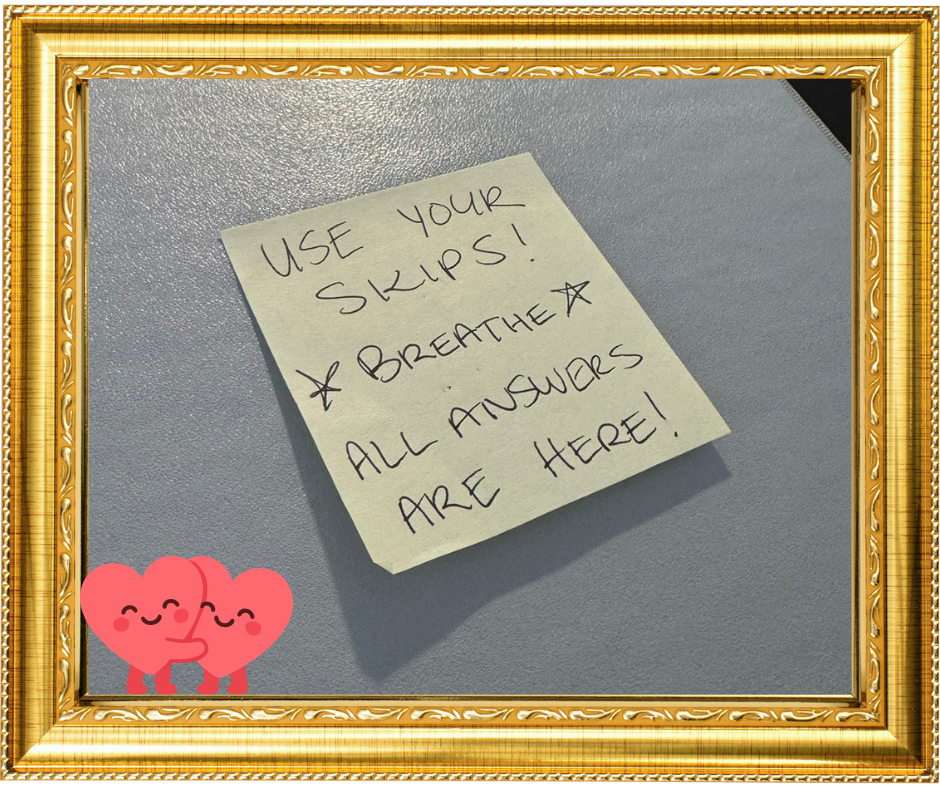
One thing I want to leave you with: the exams are hard, but not impossible. Build your index, do your flashcards, run the labs, and you’ll be fine. On every index binder my wife or I bring into an exam session is a sticky note that reads: “Use your skips! Take your time! Breathe. All the answers are in here!” My enemy when taking the test is always myself. I need to remember not to overcomplicate, overthink, or overheat (answering too many questions without looking up the answer).
Good luck with your GIAC certification.